Redesigning a Federal Disaster Data Hub
A federal disaster recovery agency's Data Hub linked staff to over a dozen geospatial tools. While the individual tools varied in their design maturity, the Hub itself suffered from larger usability and awareness issues that needed to be addressed first. To improve the usage of all tools, it was agreed that a user-friendly Data Hub was the first step in the process. Over the course of a month, I audited the existing site, conducting prioritization sessions, wireframed new designs, and launched a revamped Data Hub site.
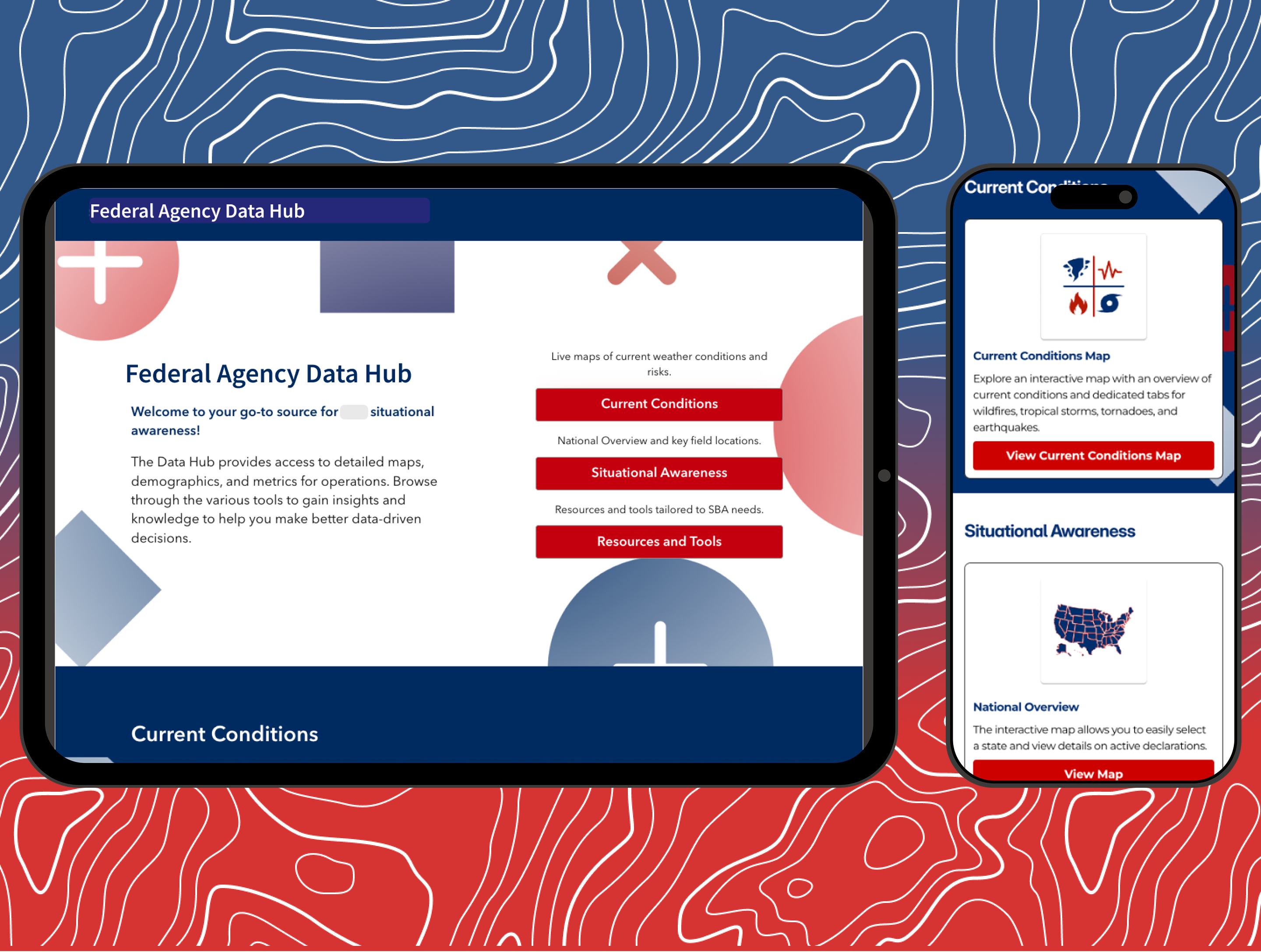
Context
A federal disaster recovery agency operates a Data Hub, an ArcGIS Hub site where staff access web maps and tools to support active disaster operations. The hub linked to over a dozen geospatial products: live weather condition maps, demographic lookup tools, field office dashboards, loan data visualizations, and more. Each tool had validated utility, but they suffered from a lack of awareness across the agency. The team decided to promote these tools with the launch of a revised Data Hub.
I was embedded with the agency as part of the Motivf team and tasked with leading a full UX improvement process, starting with understanding the current state and ending with a production-ready redesign.
The Problem
The original hub was a basic ArcGIS Hub template. The homepage was a grid of clip art icons, each one linking to a separate tool with no explanation of what the tool did, who should use it, or how it connected to anyone's actual work. One of the primary tools was labeled "Under Construction" and the navigation made it difficult to understand whether something was a current conditions map, a field planning resource, or a reference document.
There was also little information presented to users about what each tool was and how to use it. This led to many useful tools being completely ignored by the teams who needed them most. It also presented us with opportunities to modernize geospatial tools as the Data Hub was revised.
While some issues were plainly obvious, we still wanted to uncover as much as we could before diving into a redesign. In our user interviews, many staff had no idea the hub was there at all, let alone the tools it was meant to serve to them. This confirmed our assumption that the Data Hub would be foundational to getting these tools in the right hands.
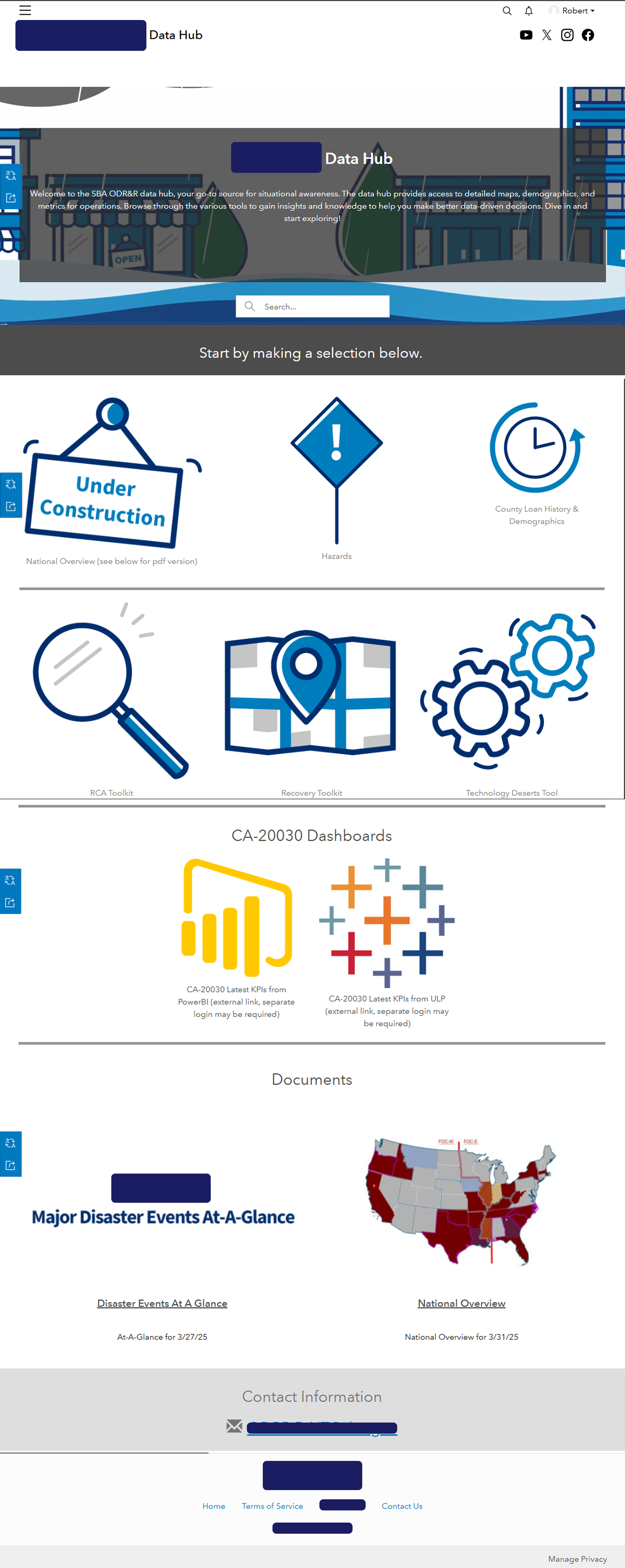
The original hub: clip art icons, an "Under Construction" notice on the primary tool, and no context for what anything does or who it's for.
A Mural ecosystem map documenting every tool the hub linked to. Many had never been seen by the staff who needed them most.
UX Audit
To understand the current state systematically, I conducted a UX Audit across the hub and its geospatial tools using a modified version of Jakob Nielsen's 10 Usability Heuristics, adapted specifically to evaluate web maps. Individual issues were identified for each tool, with severity ratings and concrete recommendations.
Heuristic #4, consistency and standards, surfaced the most issues across the board. The tools had been built and updated by different people at different times, with no shared design standard. Every map had its own layer naming convention, legend format, and interaction model. The positive result was that the Data Hub itself suffered more from organizational and presentation issues than any egregious usability flaws.
The audit findings also served a second purpose beyond the hub redesign itself. Individual tool evaluations were used as a baseline for targeted redesigns of the web map products linked to the hub. The Current Conditions maps, which consolidated four separate hazard maps into a single unified platform, came directly out of recommendations from this process.
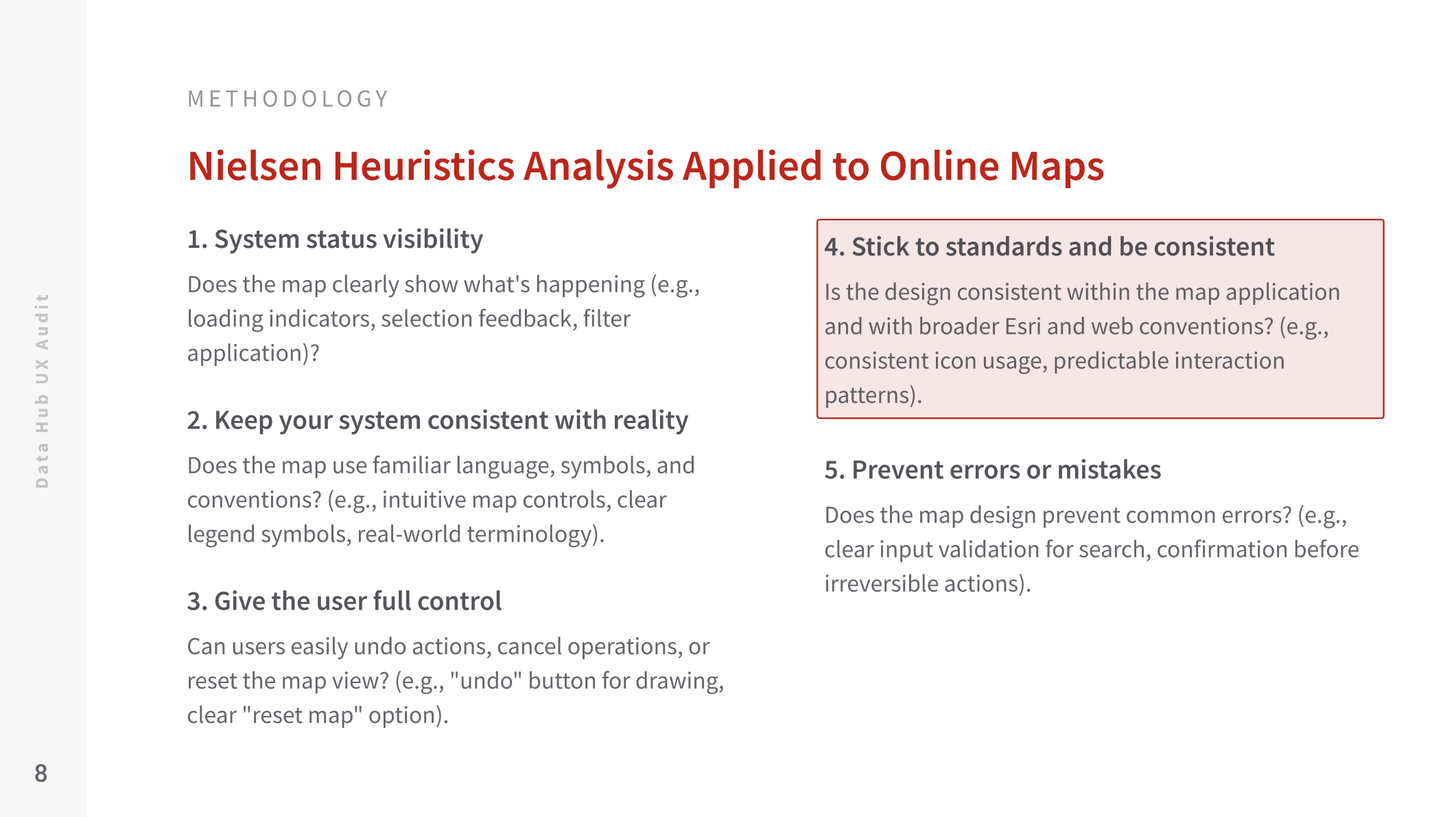
The 10 heuristics were adapted with web map-specific evaluation criteria for each.
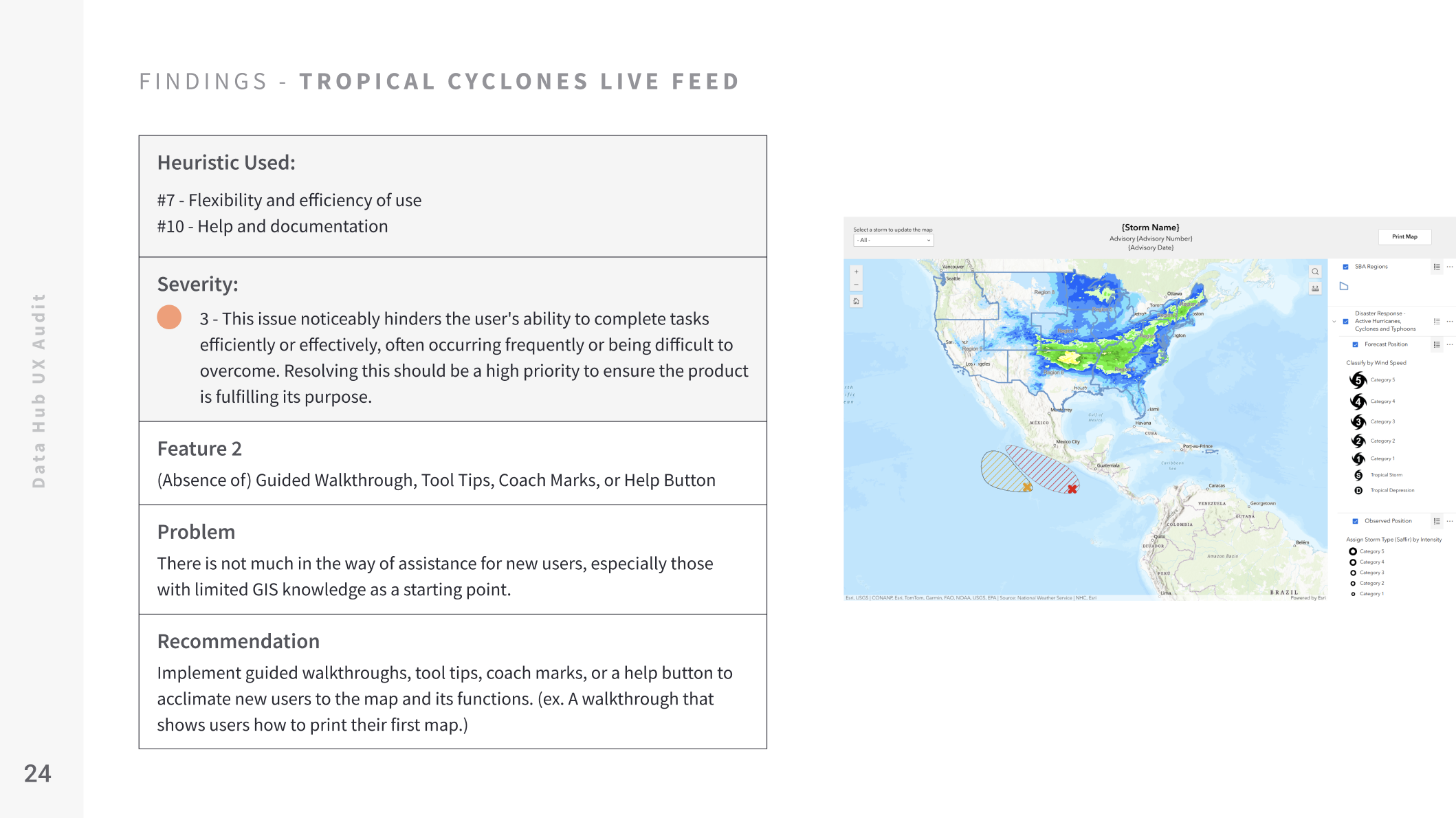
Each tool got its own audit slide with the heuristic violated, a severity rating, the specific problem, and a recommendation.
User Research
Five user interviews were conducted with agency staff who either used or were expected to use the hub in their daily work. The goal was a qualitative understanding of how the hub fit into (or didn't fit into) actual operations.
Three findings shaped everything that followed:
- Many staff were simply unaware the hub existed
- Those who had found it couldn't figure out which tool they needed or how any of them connected to their specific role
- What people actually wanted was a fast way to get situational awareness about active disasters and field operations
The key takeaway was that the Hub needed to communicate its own value by organizing tools around how people think about their work and surfacing the most time-sensitive information immediately on arrival.
User Story Prioritization
Interview insights were translated into user stories to capture each need in an actionable format. Then a prioritization workshop was run with the development team using Mural. A dot voting exercise let the team rank stories by urgency and feasibility, which determined what would be addressed in the redesign versus deferred to future iterations.
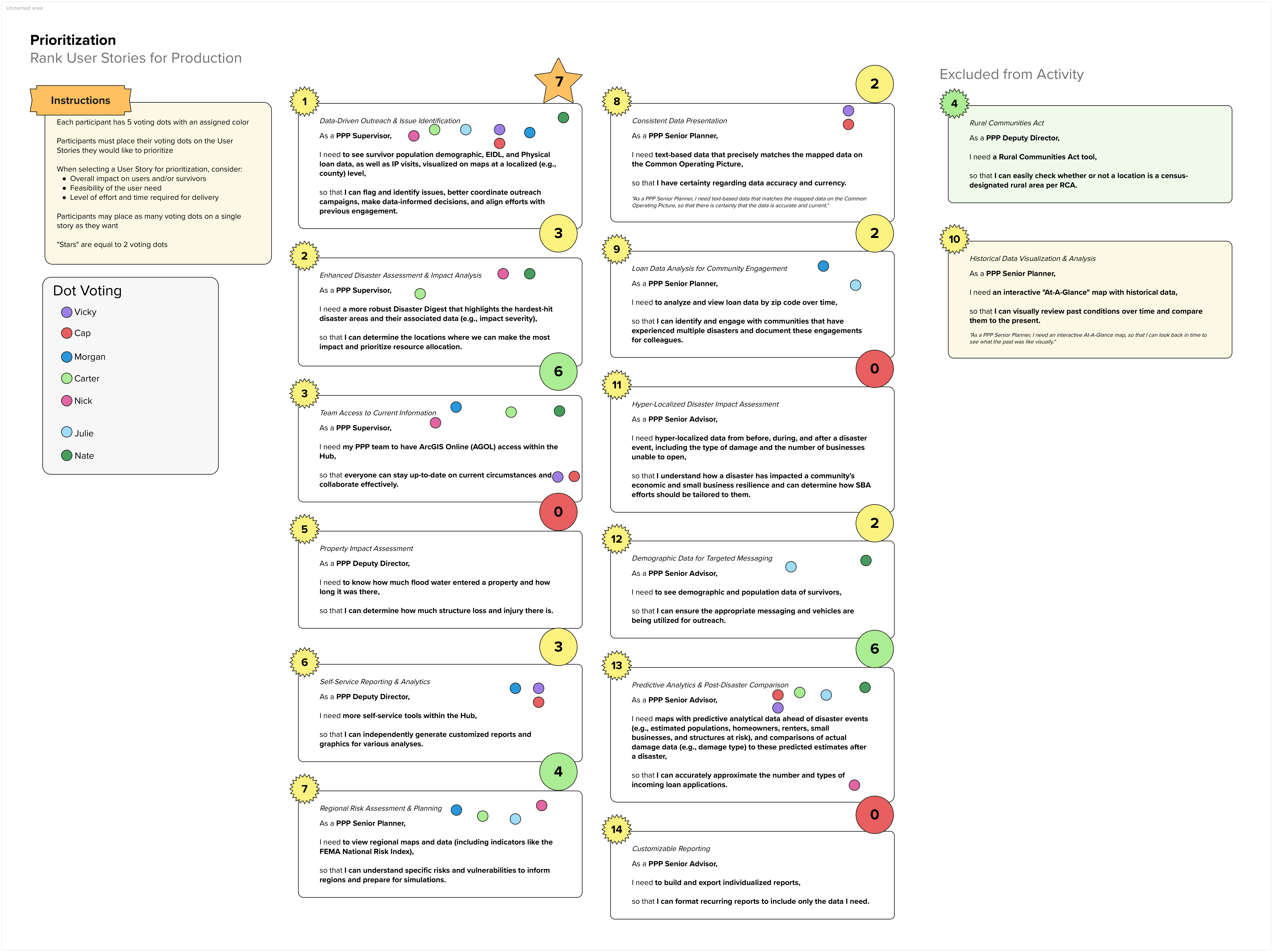
A Mural dot voting activity was used to collaboratively rank user stories with the development team.
Design
Sketch and Information Architecture
I started with paper sketches to work out how the hub's content could be reorganized into a structure that actually reflected how users think. The key decision came early: move from a multi-page hub with abstract icons to a single scrolling page that gives users direct access to each tool with enough context to understand its purpose before clicking.
Three logical groupings emerged from the audit and interview data. Current Conditions (live weather and disaster monitoring), Situational Awareness (field-level operational tools), and Resources and Tools (reference maps, demographic data, and static documents).
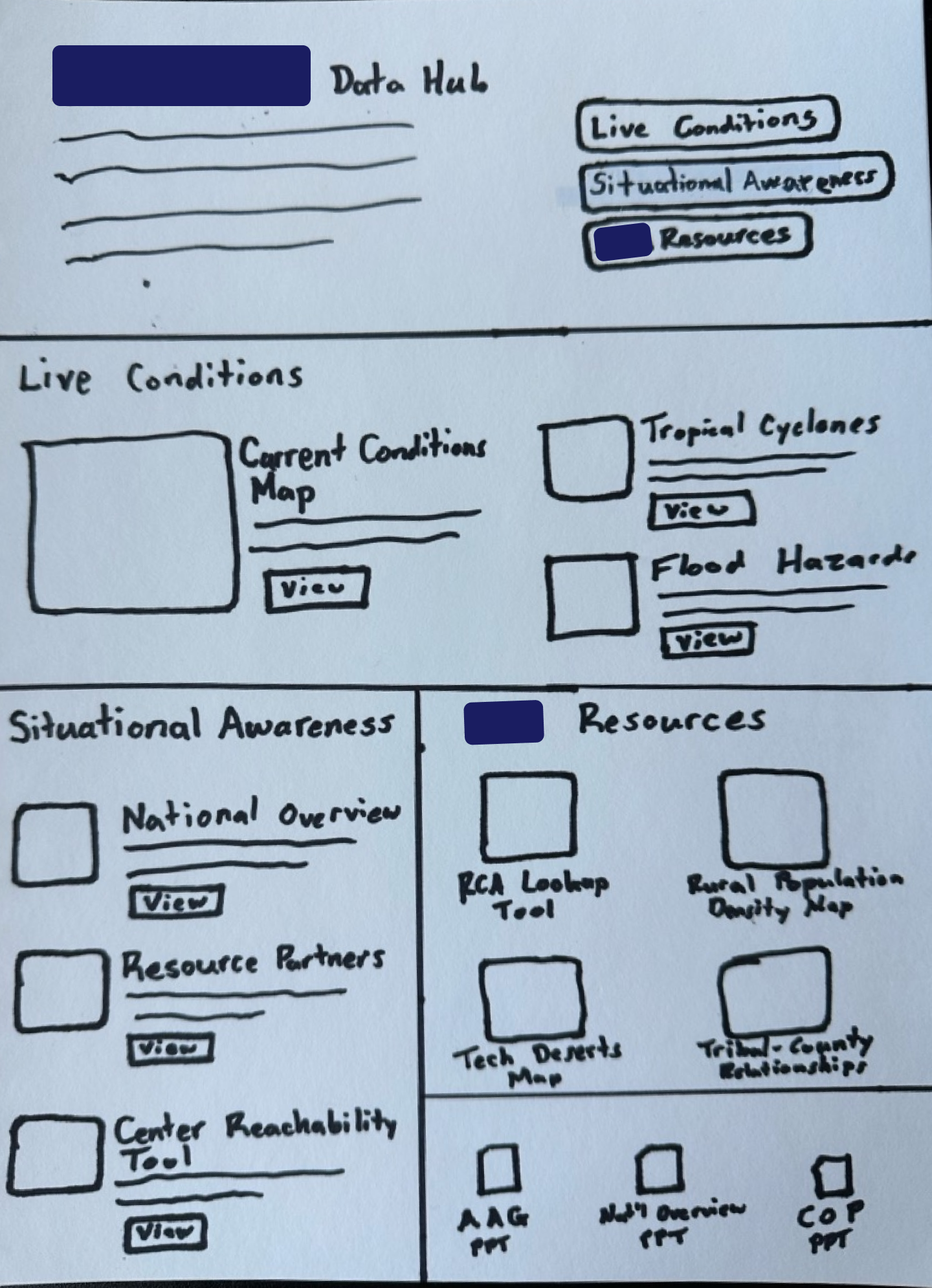
Early sketch mapping the new information architecture across three sections.
Wireframes
Three wireframe layouts were developed in Figma to explore different approaches to organizing the tools. The layouts tested different ways of presenting the Current Conditions section, handling the tool cards, and structuring navigation. A single-page layout with an embedded live map preview at the top won out, because it put the most time-sensitive content front and center without requiring any additional navigation.
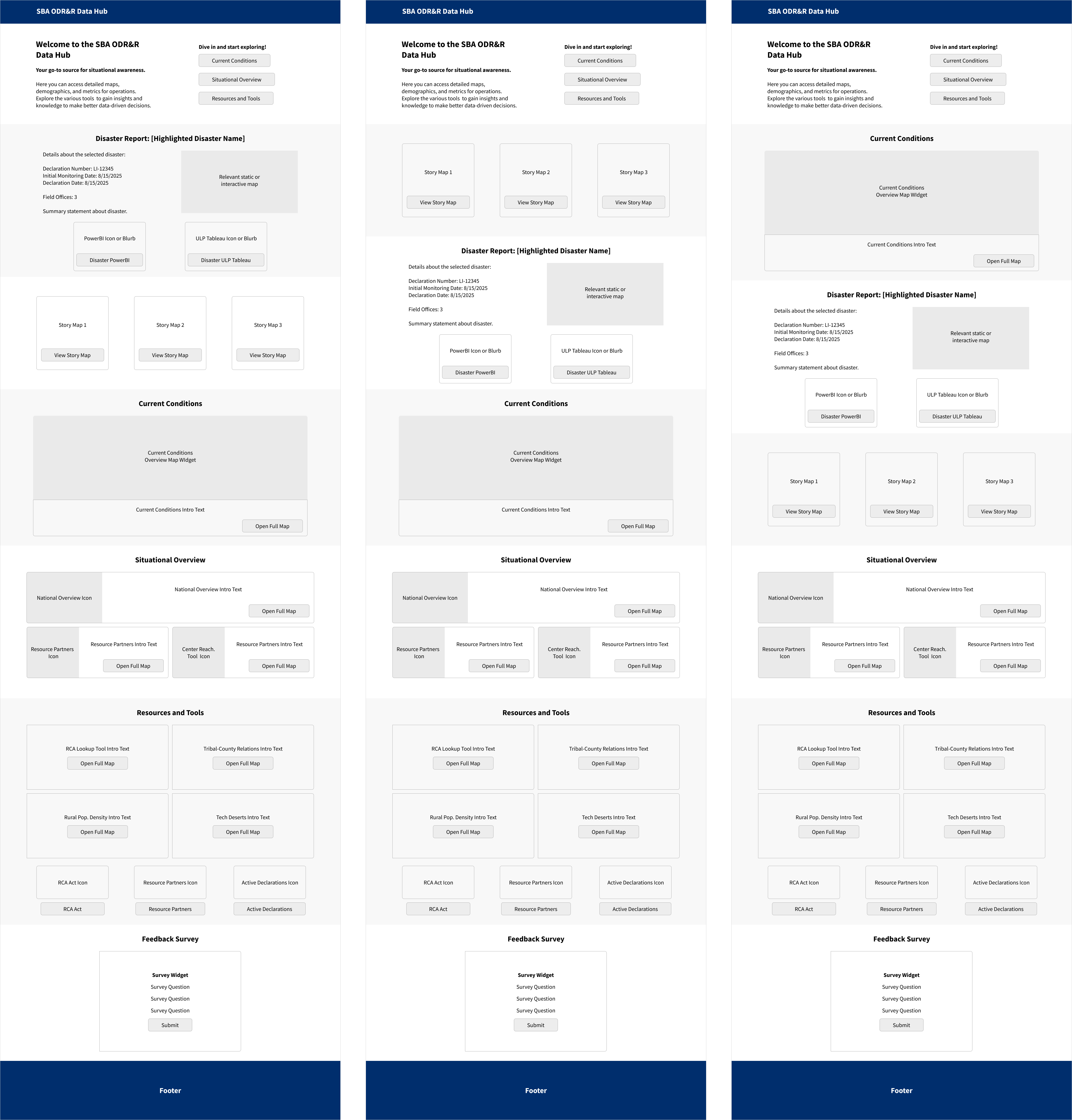
Three wireframe layouts were explored before settling on the single-page scrolling approach.
High-Fidelity Prototype
High-fidelity designs were built in Framer across desktop, tablet, and mobile breakpoints. ArcGIS Experience Builder requires manual designs for each breakpoint. Because the interface and user options are similar, I opted to use Framer for the design of my High-Fidelity prototypes. This also allowed me to produce mobile and tablet breakpoint designs at the same time. Once approved, it was a quick process to recreate the designs in Experience Builder.
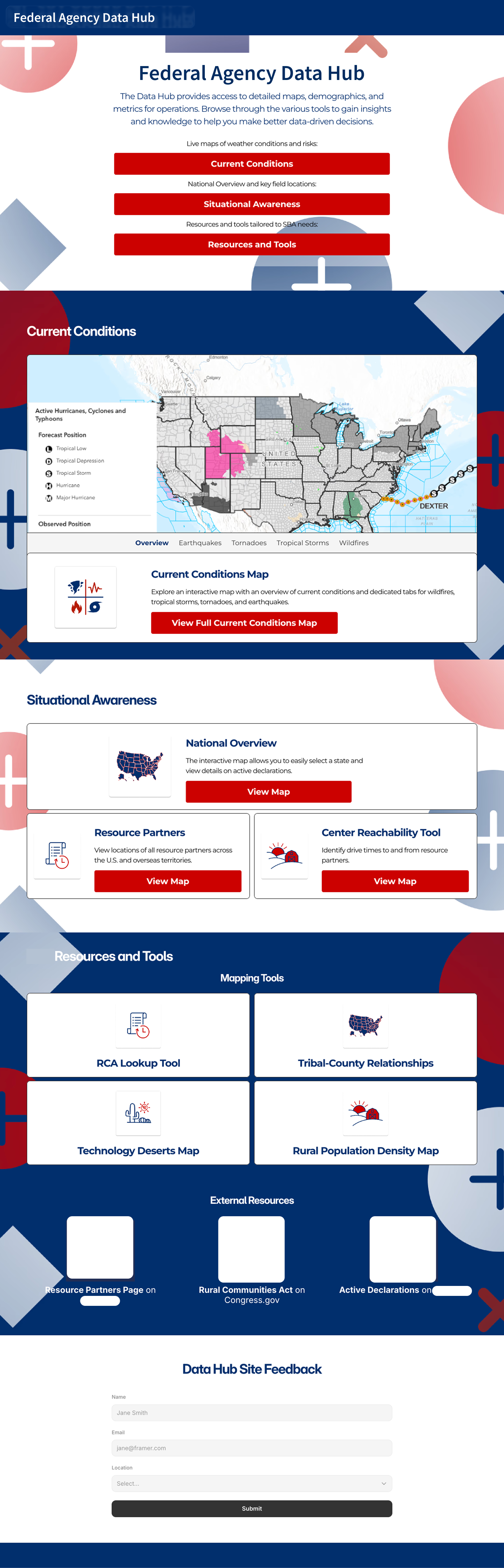
Desktop design in Framer, showing the full single-page layout with live map embed, tool cards, and feedback survey.
Results
The revised hub was implemented in ArcGIS Experience Builder. The final product organized all tools into the three-section architecture, embedded a live current conditions map overview directly on the homepage, and added a user feedback survey to create a direct channel for staff to surface issues and request improvements.
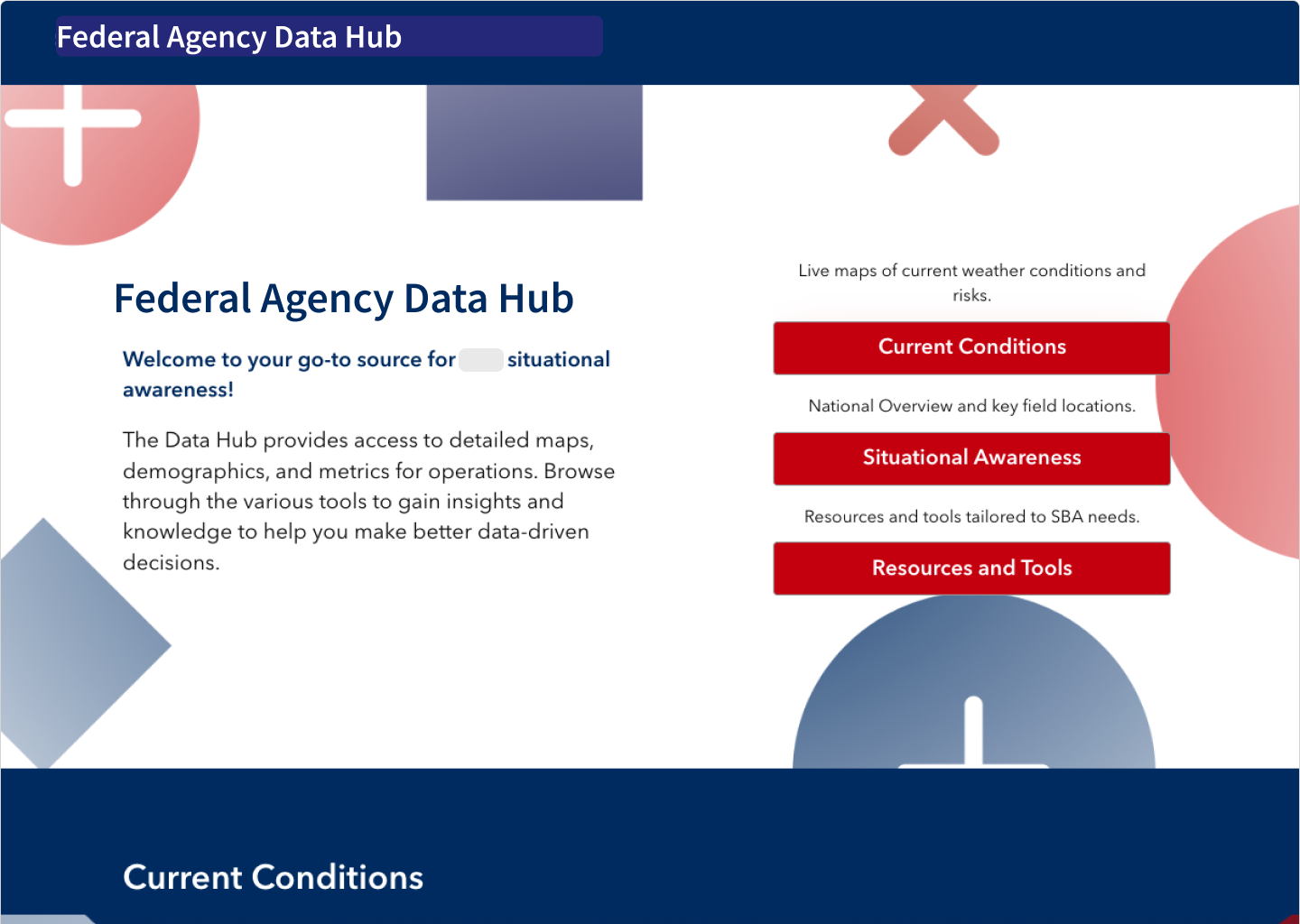
The revised hub in ArcGIS Experience Builder. Desktop version was production-ready at project close, with Framer files serving as complete specs for tablet and mobile.
Lessons Learned
The most surprising finding from user research wasn't a usability issue. It was that most users didn't know the hub existed. That shifted the design problem entirely: a lot of the redesign work was really about making the hub legible and navigable as a resource. It's never enough to make something usable if people can't find it in the first place.
The other thing I took from this project is that working within platform constraints can actually sharpen your thinking. ArcGIS Experience Builder has inherent limitations when compared to a custom-built product. Those constraints pushed me to be more deliberate about what actually needed to be on the page versus what was just adding noise, resulting in a final product that was cleaner than an unconstrained design might have been.